Your Yeastar phone system, inside Freshworks
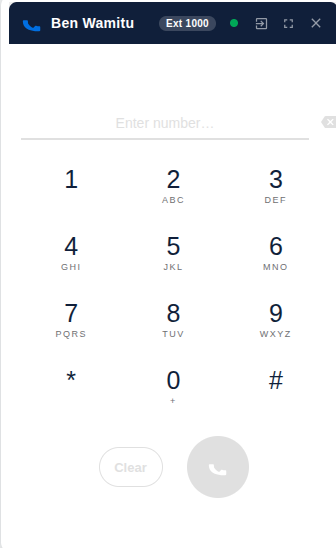
Jasco Dialer lets agents make and take calls in the browser, see who is calling before they answer, and log every call to the right contact or ticket, without leaving Freshdesk, Freshservice or Freshworks CRM.
The problem it solves
Teams that use a Yeastar PBX for their phones and Freshworks for their customers end up working in two separate systems. Numbers get dialled by hand, nobody knows who is calling until they search, calls go unrecorded in the CRM, and queue work happens in yet another window. Jasco Dialer puts the phone where the customer record already is.
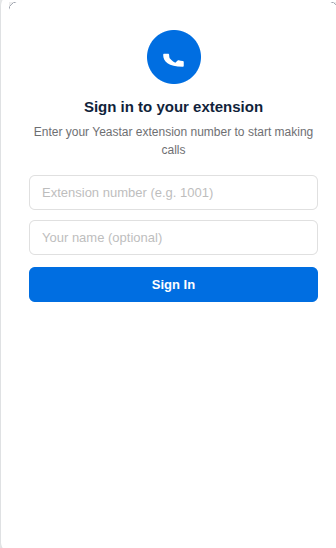
Agent signs inwith their own Yeastar extension, right in the Freshworks sidebar.
Call comes in or goes outthrough the browser, using Yeastar's WebRTC softphone.
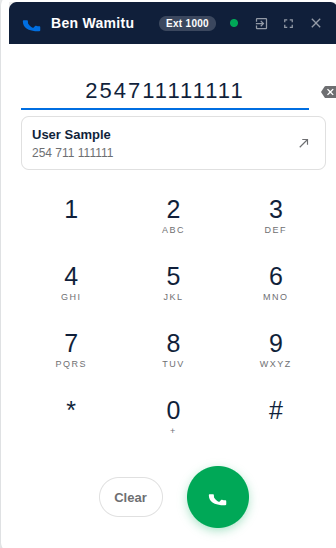
Caller is identifiedagainst your Freshworks contacts or requesters while it rings.
Call is loggedas a call activity or ticket, with the outcome and notes.
Features
Calling
- Browser softphone on the agent's own extension
- Click-to-call from contacts, requesters and tickets
- Hold, mute, on-demand recording, in-call dialpad
- Blind and attended transfer, add a participant
Caller identification
- Lookup while the phone is still ringing
- Opens the contact record automatically or on click
- Creates contacts for unknown callers
Call logging
- Freshworks CRM: call activities with your outcomes
- Freshdesk: tickets with notes, group, agent, priority, status
- Freshservice (including MSP): tickets under the caller's client and department
Call history
- Incoming, outgoing and missed calls from the PBX
- Recording playback
- Missed-call alerts
Queues and wallboard
- Log in and out of call queues
- Pause with your PBX's pause reasons
- Answered, abandoned and missed calls per queue
- Processing results for missed calls, for follow-up
Team directory
- PBX extensions grouped by department
- Favourites and search
- Live colleague presence
Screenshots
Requirements
Phone system
- Yeastar P-Series PBX (Cloud or Software Edition)
- API and Linkus SDK enabled
- Reachable on a public domain name over HTTPS
Freshworks
- Freshdesk, Freshservice or Freshworks CRM (Freshsales)
- An admin to install the app
- Agents on a browser with microphone access
Licence
- A Jasco Dialer License Key for your Freshworks account
- Issued by Jasco Communications
Ready to connect your PBX?
Contact Jasco Communications for pricing and a License Key.